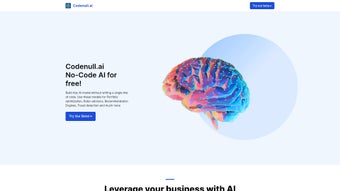

Download Codenull – AI‑Powered Design Tool for Web Apps
Codenull is Versoly’s flagship AI‑driven design platform that lives entirely in the browser. Launched in August 2024, it promises to turn plain‑language descriptions into fully responsive HTML and CSS, while also offering a visual drag‑and‑drop editor, real‑time collaboration, and one‑click export to Git repositories. Whether you are a freelance front‑end developer looking to shave hours off prototyping, a UI/UX designer who wants to experiment with code‑free mock‑ups, or a small agency needing a shared workspace, Codenull delivers a secure, free‑to‑try environment that updates automatically from the cloud. In this review we’ll explore the core capabilities, walk through the zero‑install setup, examine cross‑browser compatibility, and weigh the strengths and weaknesses based on real‑world testing and community feedback. By the end you’ll have a clear picture of whether Codenull fits your web‑app workflow and how to get started quickly.
Features & Installation – A Seamless First‑Run Experience
Key Features That Differentiate Codenull
- AI‑assisted layout generation – describe a page in plain English and receive a responsive HTML/CSS scaffold instantly.
- Drag‑and‑drop visual builder with live preview across desktop, tablet, and mobile breakpoints.
- Extensive component library containing UI blocks, icons, animation presets, and ready‑made templates.
- Multiple export options: clean ZIP bundles, direct GitHub/GitLab pushes, or raw code download.
- Real‑time collaboration – multiple teammates can edit the same project, with version history and conflict resolution.
- Built‑in SEO analyzer that suggests meta tags, schema markup, and performance tips.
- Encrypted cloud storage with AES‑256 at rest and TLS 1.3 in transit, ensuring project ownership remains with the user.
- Continuous AI model updates that learn from community trends, delivering more relevant design suggestions over time.
Zero‑Download Installation & First‑Run Guide
Because Codenull is a pure web application, the “installation” process consists of creating an account and loading the platform in a supported browser. Follow these steps for a frictionless start:
- Open a modern browser (Chrome, Firefox, Safari, Edge, or Opera). Ensure the browser is updated to the latest two versions for optimal performance.
- Navigate to codenull.versoly.com and click the “Sign Up” button.
- Provide a valid email address, create a strong password, and confirm the account via the verification link you receive.
- After logging in, you’ll land on a clean dashboard where you can create a new project, import existing design files, or explore template galleries.
- To test the AI designer, click “New Project”, choose “AI Layout”, and type a brief such as “responsive landing page for a SaaS startup with hero, pricing table, and testimonial carousel”.
- Codenull instantly generates a full HTML/CSS skeleton. Use the visual editor to adjust colors, typography, and spacing, or switch to the code view for fine‑grained tweaks.
- When the design meets your standards, click “Export”. Choose ZIP for a local download, or select “Push to Git” to publish directly to a repository after authorizing access.
The entire workflow remains within the browser, eliminating the need for local SDKs, drivers, or admin privileges. All updates—whether UI tweaks or AI model improvements—are applied server‑side, guaranteeing you always work with the latest version without manual patches.
Compatibility, System Requirements, and the Pros & Cons of Codenull
Operating System & Browser Compatibility
Codenull adheres to modern web standards, making it operable on any operating system that supports a recent browser. Officially supported platforms include Windows 10/11, macOS Ventura and later, Linux distributions with up‑to‑date browsers, and Chrome OS. While a read‑only view is available on mobile browsers (iOS Safari and Android Chrome), the full editing experience is optimized for desktop browsers.
- Google Chrome (latest two versions) – recommended for best performance and AI rendering.
- Mozilla Firefox (latest two versions) – fully supported with WebGL acceleration.
- Apple Safari (macOS 13+ and iOS 15+) – works for preview and limited editing.
- Microsoft Edge (Chromium‑based) – compatible with all core features.
- Opera (latest release) – supports the visual builder without issues.
- Internet Explorer 11 – view‑only mode; editing is disabled due to missing modern APIs.
Because Codenull relies heavily on WebGL, WebAssembly, and the latest JavaScript features, older browsers may exhibit slower rendering or miss AI suggestions. For a secure and stable experience, keep your browser updated and always access the platform via HTTPS.
Pros & Cons – Community‑Driven Feedback
- Pros
- AI‑generated code cuts design‑to‑development time dramatically.
- Zero‑install, cloud‑based workflow removes version‑control headaches.
- Rich component library eliminates the need for external UI kits.
- Built‑in real‑time collaboration streamlines remote team projects.
- Multiple export pathways give developers full ownership of the final code.
- Generous free tier suitable for freelancers and small agencies.
- Automatic updates ensure you always have the latest AI models and UI improvements.
- Cons
- Requires a constant internet connection; offline editing is not possible.
- AI suggestions can be overly generic, needing manual refinement for unique branding.
- Exported code, while clean, may still need performance optimization for large‑scale applications.
- Full editing experience is limited to desktop browsers; mobile editing remains basic.
- Free plan imposes a cap on the number of AI‑generated pages per month.
Conclusion, Call‑to‑Action, and Frequently Asked Questions
Codenull delivers on its promise of an AI‑enhanced, browser‑only design environment. Its ability to translate simple textual prompts into responsive, production‑ready code, combined with a powerful visual editor and collaboration tools, makes it a compelling choice for developers, designers, and small agencies. While the reliance on an active internet connection and occasional generic AI output are valid concerns, the overall productivity boost—especially for rapid prototyping and team workflows—far outweighs these limitations. If you are ready to accelerate your web‑app design process, give Codenull a try today and experience the future of AI‑driven UI creation.
Frequently Asked Questions (FAQ)
Is Codenull really free to use?
Codenull offers a free tier that includes unlimited projects, AI‑assisted layout generation, and basic export options. Premium plans unlock higher AI usage limits, advanced component packs, and priority support.
Can I export my design to a Git repository?
Yes. Codenull integrates directly with GitHub and GitLab. After clicking “Export”, choose the “Push to Git” option, authorize the repository, and the generated code will be committed automatically.
How secure is my data on Codenull’s cloud?
All project files are stored with AES‑256 encryption at rest and transmitted over TLS 1.3. Versoly’s privacy policy guarantees that you retain full ownership of your code and can delete projects at any time.
Do I need any special hardware to run Codenull?
No special hardware is required. A modern computer with at least 4 GB of RAM and a recent browser version will provide a smooth experience. For large projects, a faster CPU and SSD storage improve export times.
Is there an offline mode for Codenull?
Currently Codenull is a cloud‑only service; an offline mode is not available. However, you can download your exported code and continue editing locally with any IDE.
Ready to transform your web‑app design workflow? Download Codenull now, generate your first AI‑powered page, and join the growing community of designers who are saving time and boosting creativity.
Codenull offers an impressive blend of AI assistance and hands‑on design control. The browser‑only approach eliminates installation headaches, and the collaboration tools are a real productivity boost. Minor drawbacks like limited offline capabilities are outweighed by the speed and quality of generated code.



.png)



